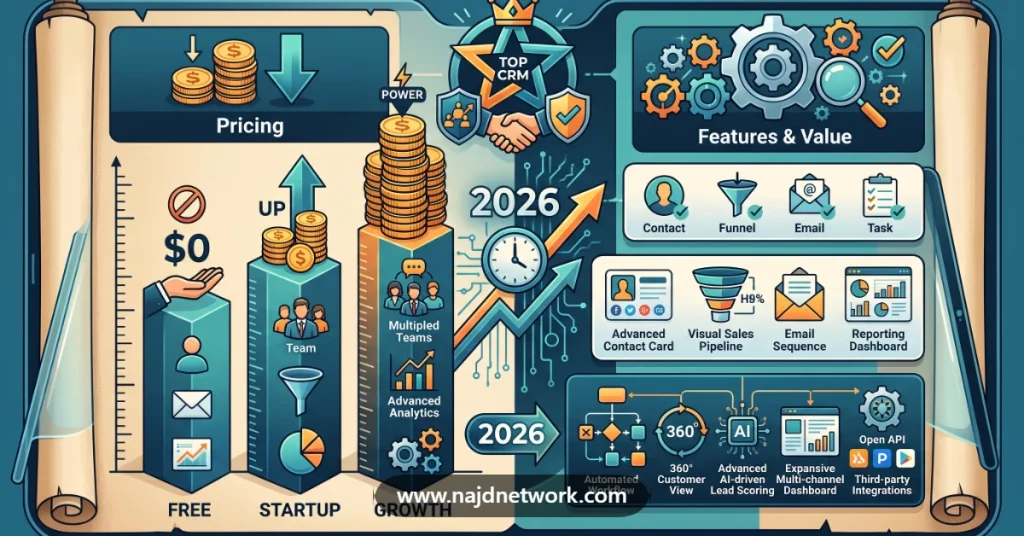

Managing customers through spreadsheets becomes increasingly difficult as a business grows.
Leads get forgotten, follow-ups are missed, sales representatives lose track of conversations, customer information becomes scattered across different tools, and managers struggle to understand what is actually happening inside the sales pipeline.
A customer relationship management system, commonly known as CRM software, is designed to solve these problems.
Modern CRM platforms can help businesses manage leads, contacts, sales opportunities, email communication, follow-ups, marketing campaigns, customer service, sales automation, reporting, and increasingly, AI-powered sales tasks.
But CRM software varies dramatically in both capabilities and price.
Some platforms provide free CRM tools for very small teams, while enterprise CRM systems can cost hundreds of dollars per user every month.
This guide compares some of the best CRM software for small businesses in 2026, including HubSpot, Salesforce, Zoho CRM, Pipedrive, and monday CRM.
Best CRM Software for Small Businesses in 2026
| CRM Software | Best For | Starting Price | Free Plan | Sales Automation | AI Features |
|---|---|---|---|---|---|
| HubSpot CRM | Businesses wanting an all-in-one customer platform | Free | Yes | Yes | Yes |
| Salesforce | Growing businesses needing advanced CRM capabilities | $25/user/month | Free Suite available | Yes | Yes |
| Zoho CRM | Businesses looking for strong value and customization | $14/user/month annually | Yes | Yes | Yes |
| Pipedrive | Sales-focused small businesses | $14/user/month annually | No permanent free plan | Yes | Yes |
| monday CRM | Teams wanting a flexible visual CRM | $12/seat/month annually | Trial | Yes | Yes |
Pricing shown reflects publicly listed U.S. pricing available in August 2026 and can change depending on billing frequency, promotions, region, taxes, user count, and selected features.
1. HubSpot CRM
Best for: Small businesses wanting an easy-to-use CRM that can expand into marketing, sales, customer service, and automation.
HubSpot is one of the most recognizable names in CRM software.
One of its biggest advantages for small businesses is that companies can start with a genuinely free CRM and upgrade as their requirements grow.
HubSpot’s free CRM includes tools for managing contacts, companies, deals, pipelines, CRM imports, reporting dashboards, and its Breeze AI assistant.
HubSpot CRM Features
HubSpot’s CRM platform can include:
- Contact management
- Company management
- Deal tracking
- Sales pipelines
- Email tracking
- Sales automation
- Meeting scheduling
- Reporting dashboards
- Lead management
- Marketing automation
- Customer service tools
- AI-powered assistance
- Data management
- Revenue management
One reason businesses choose HubSpot is the ability to connect several customer-facing departments to the same CRM database.
Instead of operating separate systems for sales, marketing, service, and customer information, businesses can expand into HubSpot’s broader customer platform.
HubSpot Free CRM
HubSpot currently offers its foundational CRM tools for $0 per month for up to two users.
That makes it attractive to startups and very small businesses that are moving away from spreadsheets for the first time.
The free version includes basic CRM functionality, but advanced automation, customization, analytics, permissions, and other capabilities require paid products.
HubSpot Pricing
HubSpot’s pricing structure can be complicated because the company sells multiple hubs and bundled Customer Platform packages.
At the time of writing, HubSpot lists its free CRM at $0 and advertises paid CRM capabilities starting from its Starter tiers.
HubSpot’s Customer Platform currently advertises a promotional Starter price beginning around $7 per seat per month, while its CRM product page lists Starter CRM capabilities from approximately $15 per seat per month, depending on the product package and promotion selected.
Because HubSpot pricing can vary considerably between individual hubs and bundled packages, businesses should calculate the exact configuration they need before purchasing.
HubSpot Professional and Enterprise
HubSpot becomes considerably more expensive when businesses move into advanced platform functionality.
Its broader Customer Platform Professional package currently starts around $1,300 per month when paid annually and includes six seats, while Enterprise starts around $4,700 per month with eight included seats.
This illustrates an important point when comparing CRM pricing:
The entry price does not always represent what a growing business will eventually pay.
Businesses should estimate the cost of the features they expect to require over the next several years.
HubSpot AI Features
HubSpot has increasingly integrated AI into its CRM platform through its Breeze products and AI agents.
Depending on the subscription level, businesses can use AI for tasks including:
- Customer assistance
- Prospecting
- Data enrichment
- Content creation
- Sales research
- Customer support
- CRM data analysis
Some AI functionality uses HubSpot Credits, which may introduce additional usage-based costs depending on the feature.
Who Should Choose HubSpot?
HubSpot can be a strong choice for:
- Startups
- Small businesses
- Marketing-focused companies
- Sales teams
- Service businesses
- Companies wanting one customer platform
- Organizations planning to expand their marketing automation
The free CRM makes HubSpot particularly attractive for businesses that want to test CRM software without immediately purchasing licenses.
However, organizations expecting to use advanced HubSpot functionality should carefully calculate long-term costs.
2. Salesforce Sales Cloud
Best for: Growing businesses that need a powerful and highly customizable sales CRM.
Salesforce is one of the largest CRM platforms in the world and provides extensive functionality for sales, customer service, marketing, analytics, AI, and enterprise automation.
Salesforce Sales Cloud focuses specifically on sales CRM functionality.
Businesses can use it to manage:
- Accounts
- Contacts
- Leads
- Opportunities
- Sales pipelines
- Forecasts
- Activities
- Customer relationships
- Sales automation
- Analytics
- AI-assisted selling
Salesforce currently positions Sales Cloud as a sales automation platform with integrated AI, analytics, pipeline management, and sales engagement capabilities.
Salesforce Pricing
Salesforce currently lists several Sales Cloud editions.
Free Suite: $0 per user per month
Starter Suite: $25 per user per month
Pro Suite: $100 per user per month
Enterprise: $175 per user per month
Unlimited: $350 per user per month
Agentforce 1 Sales: $550 per user per month
These are Salesforce’s currently published U.S. prices, although contract terms and feature availability vary between editions.
Salesforce Starter Suite
Salesforce Starter Suite is positioned toward smaller businesses that need basic sales, service, marketing, and commerce functionality.
At $25 per user per month, Starter Suite can provide an entry point into Salesforce without immediately purchasing an enterprise-level plan.
Salesforce Pro Suite
Salesforce Pro Suite currently costs $100 per user per month.
It provides more advanced functionality for businesses that require additional automation and customization.
For a 10-person sales team, the base subscription calculation would be:
$100 × 10 users = $1,000 per month
That equals:
$1,000 × 12 months = $12,000 per year
This calculation excludes additional products, implementation costs, consulting, integrations, and optional services.
Salesforce Enterprise
Salesforce Enterprise currently costs $175 per user per month.
For 20 users:
$175 × 20 = $3,500 per month
Annual base subscription:
$3,500 × 12 = $42,000 per year
This demonstrates why comparing CRM software pricing becomes increasingly important as a company’s team grows.
Salesforce AI
Salesforce has invested heavily in AI through Agentforce and related AI capabilities.
Depending on the plan and additional products selected, businesses can use AI for tasks involving:
- Lead management
- Sales recommendations
- Customer interactions
- Sales forecasting
- Prospect engagement
- CRM data
- Automated workflows
Some advanced Agentforce functionality is available as an additional purchase on certain Salesforce plans.
Who Should Choose Salesforce?
Salesforce can make sense for:
- Rapidly growing businesses
- Large sales teams
- Companies with complex workflows
- Businesses needing extensive CRM customization
- Organizations requiring advanced integrations
- Enterprises
- Companies planning sophisticated sales automation
Very small businesses may find Salesforce more complicated than necessary if their primary requirement is simply tracking contacts, leads, and deals.
3. Zoho CRM
Best for: Small and midsize businesses looking for powerful CRM functionality at competitive pricing.
Zoho CRM is a popular alternative to more expensive CRM platforms.
It provides tools for sales force automation, lead management, workflow automation, analytics, customization, AI, customer communication, and sales pipelines.
One of Zoho CRM’s strongest advantages is pricing.
Zoho CRM Pricing
Zoho currently lists the following prices when billed annually:
Standard: $14 per user per month
Professional: $23 per user per month
Enterprise: $40 per user per month
Ultimate: $52 per user per month
Zoho states that annual billing can save approximately 34% compared with monthly pricing, although offers and billing terms can change.
Zoho CRM Standard
Zoho CRM Standard currently costs $14 per user per month when billed annually.
It can provide smaller businesses with functionality including:
- Sales pipelines
- Workflow rules
- Sales forecasting
- Lead management
- Contact management
- Custom dashboards
- Mass email functionality
- Scoring rules
Zoho CRM Professional
Professional currently costs $23 per user per month when billed annually.
This can provide additional capabilities for businesses with more sophisticated sales processes.
Zoho CRM Enterprise
Enterprise is currently listed at $40 per user per month when billed annually.
For a business with 20 CRM users:
$40 × 20 = $800 per month
Annual subscription:
$800 × 12 = $9,600 per year
Again, this calculation represents the base license cost before taxes, optional add-ons, storage, training, or support upgrades.
Zoho CRM Add-Ons
Zoho also provides optional services such as:
- Additional file storage
- Additional data storage
- Data backup
- Portal users
- Premium support
- Training
These can increase the final CRM cost depending on the organization’s requirements.
Who Should Choose Zoho CRM?
Zoho can be attractive for:
- Small businesses
- Growing startups
- Cost-conscious companies
- Sales teams
- Businesses needing workflow automation
- Organizations wanting extensive customization
- Companies using other Zoho applications
Businesses comparing Zoho CRM vs Salesforce or Zoho CRM vs HubSpot should evaluate total required functionality rather than comparing only the cheapest plans.
4. Pipedrive
Best for: Small businesses and sales teams that primarily need to manage leads and close deals.
Pipedrive focuses heavily on the sales pipeline.
Its interface is designed around helping sales representatives see where every opportunity stands and what action should happen next.
That makes Pipedrive particularly attractive to businesses where CRM usage is primarily driven by a sales team rather than marketing or customer service departments.
Pipedrive Features
Depending on the selected package, Pipedrive includes functionality for:
- Lead management
- Deal management
- Contact management
- Sales pipelines
- Activity tracking
- Sales automation
- Reporting
- AI-assisted reporting
- Follow-up reminders
- Calendar integration
- Third-party integrations
Pipedrive currently advertises more than 500 integrations across its ecosystem.
Pipedrive Pricing
Pipedrive currently lists its Lite plan at:
$14 per seat per month when billed annually
The annual payment equals:
$14 × 12 = $168 per user per year.
Pipedrive’s Growth plan currently starts at:
$39 per seat per month when billed annually.
The company offers a 14-day free trial without requiring a credit card, but it does not position Lite as a permanent free CRM plan.
Pipedrive AI Features
Pipedrive has added AI functionality to its CRM products.
Its current Lite plan includes AI-powered report creation, allowing users to generate reports using text prompts or predefined options.
Higher plans expand automation and sales functionality.
Who Should Choose Pipedrive?
Pipedrive can be particularly suitable for:
- Sales teams
- Agencies
- Service businesses
- B2B companies
- Consultants
- Companies with straightforward sales pipelines
- Businesses moving away from spreadsheets
Companies wanting extensive customer service or sophisticated marketing automation may need additional tools or a broader CRM platform.
5. monday CRM
Best for: Businesses wanting a visual and highly flexible CRM for sales workflows.
monday CRM is built on monday.com’s flexible work-management platform.
It combines CRM capabilities with customizable boards, dashboards, automations, sales pipelines, customer information, communication tracking, and AI features.
The visual structure can be particularly attractive to teams already familiar with monday.com’s work-management products.
monday CRM Features
Depending on the package, monday CRM can provide:
- Lead management
- Contact management
- Deal pipelines
- Sales dashboards
- Email tracking
- Sales automation
- Quotes and invoices
- Mobile applications
- AI assistance
- Lead sourcing
- Meeting summaries
- Sales reporting
monday CRM Pricing
When billed annually, monday currently lists:
Basic: $12 per seat per month
Standard: $17 per seat per month
Pro: $28 per seat per month
Pricing starts from three users.
Monthly billing is also available, but monday states that annual billing provides a discount compared with paying month to month.
monday CRM Basic
The Basic plan currently supports up to 1,000 active contacts and deals and includes customizable CRM boards and limited dashboard functionality.
monday CRM Standard
Standard adds functionality including:
- Sales automation
- Centralized communication
- Mobile access
- AI capabilities
- Additional CRM customization
It currently costs $17 per seat per month with annual billing.
monday CRM Pro
Pro currently costs $28 per seat per month when billed annually.
It includes more advanced CRM capabilities and AI features.
monday currently lists features including:
- AI outreach caller agent
- Lead sourcing agent
- AI meeting preparation
- AI meeting notetaker
- AI work assistant
- Custom AI agents
- Advanced automations
Who Should Choose monday CRM?
monday CRM can be attractive for:
- Small businesses
- Agencies
- Creative teams
- Sales teams
- Companies already using monday.com
- Businesses wanting highly customizable workflows
Organizations requiring very sophisticated enterprise CRM functionality should compare monday CRM with platforms such as Salesforce before making a final decision.
What Is CRM Software?
CRM stands for Customer Relationship Management.
CRM software provides a central database where businesses can manage relationships with potential and existing customers.
Instead of storing information across spreadsheets, email inboxes, notebooks, messaging applications, and individual employee computers, a CRM can create a unified customer record.
A CRM system can store information such as:
- Customer name
- Company
- Email address
- Phone number
- Lead source
- Previous conversations
- Sales opportunities
- Quotes
- Meetings
- Tasks
- Purchases
- Support interactions
- Deal value
- Pipeline stage
This gives employees a clearer view of every customer relationship.
Why Do Small Businesses Need CRM Software?
A business may initially manage customers successfully with spreadsheets.
Problems usually begin as the number of leads and customers increases.
Employees may forget follow-ups.
Two salespeople may contact the same lead.
Important emails may become difficult to find.
Management may have no reliable way to forecast future sales.
CRM software helps centralize these activities.
CRM Software for Lead Management
Lead management software helps businesses capture, organize, qualify, and follow up with potential customers.
A CRM can track where leads came from, such as:
- Google Ads
- Facebook Ads
- Website forms
- Email campaigns
- Referrals
- Phone calls
- Events
- Partners
Businesses can then measure which marketing channels create the highest-value sales opportunities.
CRM Sales Automation
Sales automation software can reduce repetitive work performed by sales representatives.
CRM automation may include:
- Automatic follow-up tasks
- Email sequences
- Lead assignment
- Deal-stage updates
- Customer notifications
- Lead scoring
- Workflow automation
- Sales reminders
- Data enrichment
- Pipeline updates
Automation becomes increasingly valuable as the sales team grows.
AI CRM Software
Artificial intelligence is becoming a major component of modern CRM platforms.
AI CRM software can assist with tasks such as:
- Writing sales emails
- Summarizing meetings
- Researching prospects
- Qualifying leads
- Predicting sales opportunities
- Generating reports
- Updating CRM data
- Prioritizing leads
- Customer support
- Sales forecasting
HubSpot, Salesforce, Zoho, Pipedrive, and monday CRM all currently market AI capabilities within their CRM ecosystems.
Businesses should evaluate whether AI features are included in their subscription or require separate credits, add-ons, or higher-tier plans.
How Much Does CRM Software Cost?
CRM software can cost anywhere from nothing to hundreds of dollars per user every month.
Using currently published annual or standard pricing:
Zoho CRM Standard: $14/user/month
Pipedrive Lite: $14/user/month billed annually
monday CRM Basic: $12/seat/month billed annually
Salesforce Starter Suite: $25/user/month
More advanced Salesforce subscriptions can reach $350 or even $550 per user per month.
The advertised subscription price is only one component of CRM cost.
Businesses should also consider:
- Implementation
- Data migration
- Additional storage
- Premium support
- Training
- Marketing automation
- AI usage
- Integrations
- Consulting
- Additional applications
CRM Cost Example for a 10-Person Sales Team
Consider a hypothetical 10-user sales team.
At $14 per user:
10 × $14 = $140 per month
Annual cost:
$140 × 12 = $1,680
At $25 per user:
10 × $25 = $250 per month
Annual cost:
$250 × 12 = $3,000
At $100 per user:
10 × $100 = $1,000 per month
Annual cost:
$1,000 × 12 = $12,000
At $175 per user:
10 × $175 = $1,750 per month
Annual cost:
$1,750 × 12 = $21,000
This is why businesses should compare CRM pricing before choosing a platform that will eventually be deployed across a large sales organization.
Best Free CRM Software
For businesses with almost no software budget, HubSpot is one of the strongest options because it currently provides a free CRM with contact management, deal pipelines, imports, and reporting.
Salesforce also currently lists a Free Suite at $0 per user per month within its Sales Cloud pricing structure.
Free CRM software can be useful for:
- Startups
- Freelancers
- Very small businesses
- New sales teams
- Companies testing CRM adoption
However, free plans generally have limitations.
Businesses should verify limits on:
- Users
- Automation
- Reports
- Pipelines
- Integrations
- AI
- Storage
- Permissions
Best CRM for Sales Teams
For teams primarily focused on selling, Pipedrive can be attractive because the product is strongly centered around leads, deals, sales activities, and pipelines.
Salesforce offers considerably more advanced customization for larger sales organizations.
HubSpot can work particularly well when sales and marketing teams need to share the same customer database.
The correct choice depends largely on the complexity of the company’s sales process.
Best CRM for Startups
Startups often need three things:
- Low initial cost
- Simple deployment
- Ability to scale
HubSpot’s free plan can make it attractive to very early-stage startups.
Zoho CRM provides relatively affordable paid plans when more customization is required.
Pipedrive can work well for startups with a straightforward B2B sales process.
Best CRM for Marketing and Sales
Businesses that want marketing and sales functionality under one platform should strongly evaluate HubSpot.
HubSpot’s ecosystem includes products for:
- Marketing
- Sales
- Customer service
- Content
- Data
- Revenue
Its broader platform can therefore reduce the need to connect several unrelated systems.
However, businesses should compare the cost of the complete HubSpot stack against using multiple specialized products.
Best CRM for B2B Companies
B2B businesses often require:
- Account management
- Lead tracking
- Opportunity management
- Pipeline management
- Sales forecasting
- Email tracking
- Sales automation
- Reporting
Salesforce, HubSpot, Zoho CRM, and Pipedrive can all support B2B sales processes.
Salesforce becomes particularly attractive as workflow complexity increases.
Pipedrive can be easier for smaller sales teams that primarily need pipeline management.
HubSpot vs Salesforce
Choosing between HubSpot and Salesforce is one of the most common CRM comparisons.
HubSpot may be better when:
- You want a free CRM
- Ease of use is important
- Marketing and sales need to work closely together
- Your team is relatively small
- Fast implementation is a priority
Salesforce may be better when:
- You require extensive customization
- You operate a large sales organization
- You have complicated sales processes
- Enterprise integrations are important
- You require advanced administrative controls
Both platforms can become significantly more expensive when advanced capabilities are added.
Zoho CRM vs Salesforce
Price is one of the clearest differences between these platforms.
Zoho CRM Standard currently starts at $14 per user per month when billed annually, while Salesforce Starter Suite is currently $25 per user per month.
At higher tiers, the difference becomes larger.
However, Salesforce provides a much larger enterprise ecosystem and can support very complex implementations.
The cheapest platform is not automatically the best choice.
Pipedrive vs HubSpot
Pipedrive focuses primarily on sales pipeline management.
HubSpot provides a broader customer platform.
Choose Pipedrive when the most important requirement is straightforward sales pipeline management.
Choose HubSpot when the business wants CRM to connect closely with marketing, service, content, and other customer-facing operations.
monday CRM vs Pipedrive
Both platforms can work for small sales teams.
monday CRM provides highly customizable visual workflows and can integrate CRM activities with broader team processes.
Pipedrive is more directly structured around sales pipeline management.
A business that already uses monday.com may find monday CRM easier to introduce.
A sales organization primarily concerned with managing opportunities may prefer Pipedrive.
What Features Should You Look for in CRM Software?
Before purchasing a CRM, businesses should evaluate several areas.
Contact Management
The CRM should create a centralized customer database.
Lead Management
Businesses need a clear way to track new prospects from initial contact through qualification.
Pipeline Management
Sales representatives should be able to see where every deal sits in the sales process.
Workflow Automation
Automation can reduce repetitive administrative work.
Email Integration
Many businesses need email conversations to appear automatically inside customer records.
Reporting
Managers should be able to analyze:
- Sales revenue
- Pipeline value
- Conversion rates
- Sales activity
- Sales performance
- Lead sources
AI Features
Evaluate what AI functionality is included and whether additional usage costs apply.
Integrations
Check integrations with systems such as:
- Gmail
- Microsoft Outlook
- Slack
- Zoom
- Accounting software
- Marketing platforms
- E-commerce systems
- Customer support software
Mobile Access
Sales representatives working outside the office may need access through mobile CRM applications.
Security
Businesses should evaluate:
- User permissions
- Authentication
- Data protection
- Audit logs
- Access controls
- Single sign-on
Requirements become more important as the company stores increasing amounts of customer data inside the CRM.
How to Choose the Best CRM for Your Business
Start with your sales process rather than the software.
Ask:
How many people will use the CRM?
How many leads do we receive every month?
How complicated is our sales process?
Do we need marketing automation?
Do we need customer service functionality?
Do we need AI sales tools?
Which applications must integrate with the CRM?
How much can we afford per user?
What happens to pricing when our team doubles?
The answers can quickly eliminate CRM platforms that are either too simple or unnecessarily expensive.
Frequently Asked Questions
What is the best CRM software for small businesses?
There is no universal winner.
HubSpot is attractive for businesses wanting a free entry point and broad customer platform.
Zoho CRM provides competitive pricing and extensive customization.
Pipedrive focuses on sales pipelines.
monday CRM offers flexible visual workflows.
Salesforce provides advanced functionality for businesses that expect significant growth or complex CRM requirements.
What is the cheapest CRM software?
Several CRM providers offer free products or low-cost subscriptions.
Among the paid plans compared here, monday CRM Basic currently starts at $12 per seat per month with annual billing, while Zoho CRM Standard and Pipedrive Lite currently start at $14 per user or seat per month when billed annually.
Does Google have a CRM?
Google does not currently provide a standalone CRM product comparable to Salesforce, HubSpot, Zoho CRM, or Pipedrive.
Many CRM platforms integrate with Google Workspace applications such as Gmail and Google Calendar.
Is CRM software worth it for a small business?
CRM software becomes valuable when managing leads and customers manually starts creating missed opportunities or administrative problems.
Even very small companies can use free CRM software before they require expensive automation.
Can CRM software automate sales?
Yes.
Modern CRM software can automate tasks such as:
- Lead assignment
- Follow-up reminders
- Emails
- Pipeline changes
- Data updates
- Lead scoring
- Reports
Capabilities vary significantly by subscription level.
What is AI CRM software?
AI CRM software uses artificial intelligence to assist with customer and sales activities.
AI can help create emails, summarize meetings, qualify prospects, generate reports, analyze customer data, and automate repetitive work.
Is HubSpot CRM really free?
HubSpot currently provides free foundational CRM tools for up to two users without requiring a credit card.
Advanced features require paid subscriptions.
How much does Salesforce cost for a small business?
Salesforce currently lists Starter Suite at $25 per user per month and Pro Suite at $100 per user per month.
The final cost depends on user count, selected edition, additional products, and implementation requirements.
How much does Zoho CRM cost?
Zoho currently lists annual pricing of $14 per user per month for Standard, $23 for Professional, $40 for Enterprise, and $52 for Ultimate.
How much does Pipedrive cost?
Pipedrive currently lists Lite at $14 per seat per month when billed annually and Growth at $39 per seat per month when billed annually.
What CRM is best for a 10-person company?
A 10-person company should consider its sales process, budget, integrations, and automation requirements.
HubSpot, Zoho CRM, Pipedrive, and monday CRM can all be reasonable options for smaller teams.
Salesforce may be appropriate when the company requires more sophisticated customization or expects substantial growth.
Final Verdict
The best CRM software for small businesses in 2026 depends on how the company sells, how quickly it expects to grow, and how much automation it requires.
HubSpot CRM is an excellent starting point for businesses wanting free CRM tools with the option to expand into a much broader sales and marketing platform.
Salesforce is the strongest candidate among these options for organizations that require extensive customization and enterprise-level CRM capabilities.
Zoho CRM provides an attractive balance between price, functionality, and customization.
Pipedrive is particularly well suited to sales teams that want a focused and easy-to-understand sales pipeline.
monday CRM can be a strong choice for teams that prioritize flexible visual workflows and AI-powered sales automation.
Before choosing a platform, businesses should calculate the cost for their expected number of users rather than only comparing advertised starting prices.
They should also consider future costs for automation, AI features, integrations, marketing tools, customer service, data storage, and premium support.
The best CRM is not necessarily the platform with the most features.
It is the CRM that your team will actually use consistently while giving your business the customer data, sales automation, and pipeline visibility required to grow.